DETROIT DIESEL DIAGNOSTIC LINK DDDL 8.20 SP1 2025: The Ultimate Diagnostic Tool for Heavy-Duty Vehicles
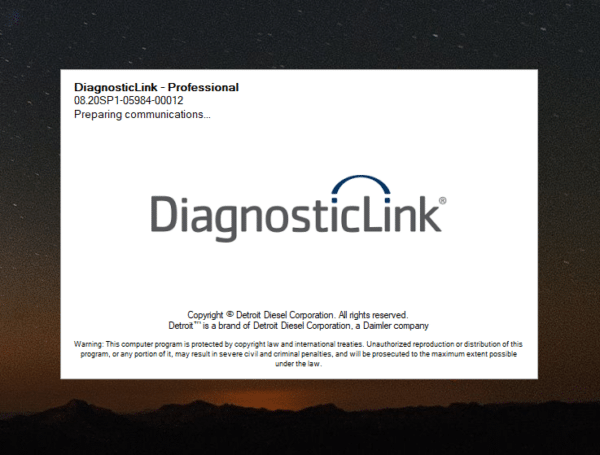
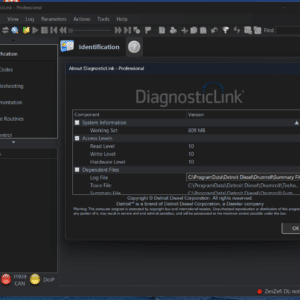
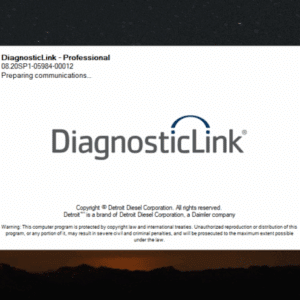
The Detroit Diesel Diagnostic Link (DDDL) 8.20 SP1, released in 2025, is a vital diagnostic tool for heavy-duty vehicles. It offers comprehensive features for accessing ECU information, reading fault codes, and executing service routines. This software is essential for professionals working with Detroit and Freightliner trucks. It enables effective diagnostics, parameter adjustments, and reprogramming, ensuring optimal performance of heavy machinery. Installation support is available via TeamViewer for user convenience.
Features and Capabilities of DDDL 8 20 SP1
The DDDL 8 20 SP1 offers a comprehensive suite of features tailored for heavy-duty vehicle diagnostics, enhancing maintenance efficiency and precision.
ECU Information Access and Fault Codes
This diagnostic tool provides essential access to the electronic control unit (ECU) data, enabling technicians to analyze crucial vehicle parameters.
Reading and Clearing Diagnostic Fault Codes
Users can easily read and clear diagnostic fault codes. This functionality simplifies the troubleshooting process, allowing for rapid identification of issues.
Instrumentation and ECU Parameters
Instrumentation data and ECU parameters can be closely monitored. This ensures that all engine functions remain optimal during inspections and repairs.
Service Routines and Functional Tests
Service routines are integral to maintaining vehicle performance. These routines help ensure that all components are functioning properly.
Regeneration and Turbocharger Tests
Executing regeneration processes and turbocharger tests can enhance engine efficiency. These tests help improve fuel economy and reduce emissions.
Injector Cut and Engine Controller Tests
Performing injector cut tests alongside engine controller diagnostics allows for an accurate assessment of engine components, ensuring reliability.
Reprogramming and Parameter Editing
This tool also supports advanced functions, including reprogramming and parameter adjustments, which are essential for engine performance tuning.
Reprogram Engine Controllers for Detroit Diesel
Engine controllers can be reprogrammed to align with manufacturer specifications or specific operational requirements.
Adjustment of Vehicle Systems Parameters
Parameters for various vehicle systems can be adjusted. This flexibility enhances the vehicle’s overall performance and adaptability to different conditions.
Compatibility and System Requirements
To ensure optimal functionality, it’s crucial to meet the compatibility and system requirements for effective use of the diagnostic software.
Supported Hardware and USB Interfaces
A variety of hardware options are compatible with the diagnostic tool. Proper selection of USB interfaces significantly enhances performance and connectivity.
USB Nexiq and Other Supported Hardware
USB Nexiq is a widely used interface, designed specifically for heavy-duty diagnostic applications.
Additional compatible hardware includes various adapters that facilitate communication with different vehicle systems.
Hardware Compatibility with DD13, DD15, and DD16 Engines
The diagnostic tool is engineered to work seamlessly with Detroit Diesel’s DD13, DD15, and DD16 engines. This ensures technicians can efficiently diagnose these specific models without compatibility issues.
Software Requirements and Windows Versions
Software requirements also play a key role in the functionality of the diagnostic program. It’s important to have the correct operating system installed on your device.
Installation on Windows 10 and 11 (32 and 64 Bit)
The tool supports installation on Windows 10 and 11 operating systems, specifically tailored for both 32-bit and 64-bit versions.
Recommended System Specifications for Optimal Performance
Processor: A dual-core processor of at least 2.0 GHz is recommended.
Memory: Minimum RAM should be set at 4 GB for efficient task execution.
Hard Drive: At least 40 GB of total space is necessary, with 20 GB available for installation.
Display: A monitor resolution of 1024 x 768 is ideal to utilize all interface features.
Installation, Activation, and Licensing
The process for Installation, Activation, and Licensing of the DDDL 8 20 SP1 is straightforward and user-friendly. Following the correct steps ensures seamless functionality.
Download and Installation Process
Downloading and installing the DDDL 8 20 SP1 involves a series of simple steps that can be completed quickly. Below are the instructions for a smooth installation:
Step-by-Step Installation Instructions
Begin by purchasing and downloading the software from an authorized provider.
Locate the downloaded file, typically compressed, and unzip it.
Run the installer by double-clicking the installation file, then follow the on-screen prompts.
Once installation is concluded, ensure that all system requirements are verified.
Remote Installation Support via TeamViewer
For those requiring assistance, remote installation support is available through TeamViewer. This allows a technician to guide the entire installation process, ensuring accuracy and efficiency.
Activation and Software Licensing
Proper activation of the software is crucial for full access to all features and functionalities. The following steps outline the activation process:
Entering Codes and Rights for Installation
During activation, a unique code provided with the purchase must be entered.
This code grants access rights and enables the software to function correctly on the system.
Managing Licenses for Professional Use
Professional users should keep track of their licenses, ensuring compliance with software usage regulations. This management helps in maintaining access to future updates and support services.
Usage and Support for Detroit and Freightliner Vehicles
The usage and support for Detroit and Freightliner vehicles is crucial to maintaining optimal performance and reliability. DDDL 8 20 SP1 offers comprehensive diagnostic solutions tailored for these heavy-duty trucks.
Diagnosing Freightliner Cascadia and Detroit Diesel Vehicles
This software excels in diagnosing the complex systems of Freightliner Cascadia and Detroit Diesel vehicles. Its capabilities include a thorough examination of engine and transmission parameters, ensuring issues are promptly identified.
Vehicle Systems Supported by DDDL 8 20 SP1
Engine Control Units (ECUs)
Transmission Systems
Brake and Suspension Systems
Auxiliary Power Units
Specific Features for Freightliner Cascadia Vehicle Systems
The software provides specific diagnostic features for the Freightliner Cascadia, including enhanced fault code reading and unique service routines. These features are designed to optimize the vehicle’s overall operational efficiency.
Post-Purchase Support and Updates
Ongoing support and software updates play a significant role in the user experience. Clients can access essential updates and new features after purchasing the software, ensuring they stay current with technological advancements.
Access to Software Updates and New Features
Regular updates to improve functionality
Introduction of new diagnostic capabilities
Troubleshooting and Customer Support Services
Effective customer support is available to assist users in troubleshooting and resolving any issues that may arise during the software’s use. Timely assistance ensures that all users can maintain their equipment efficiently.