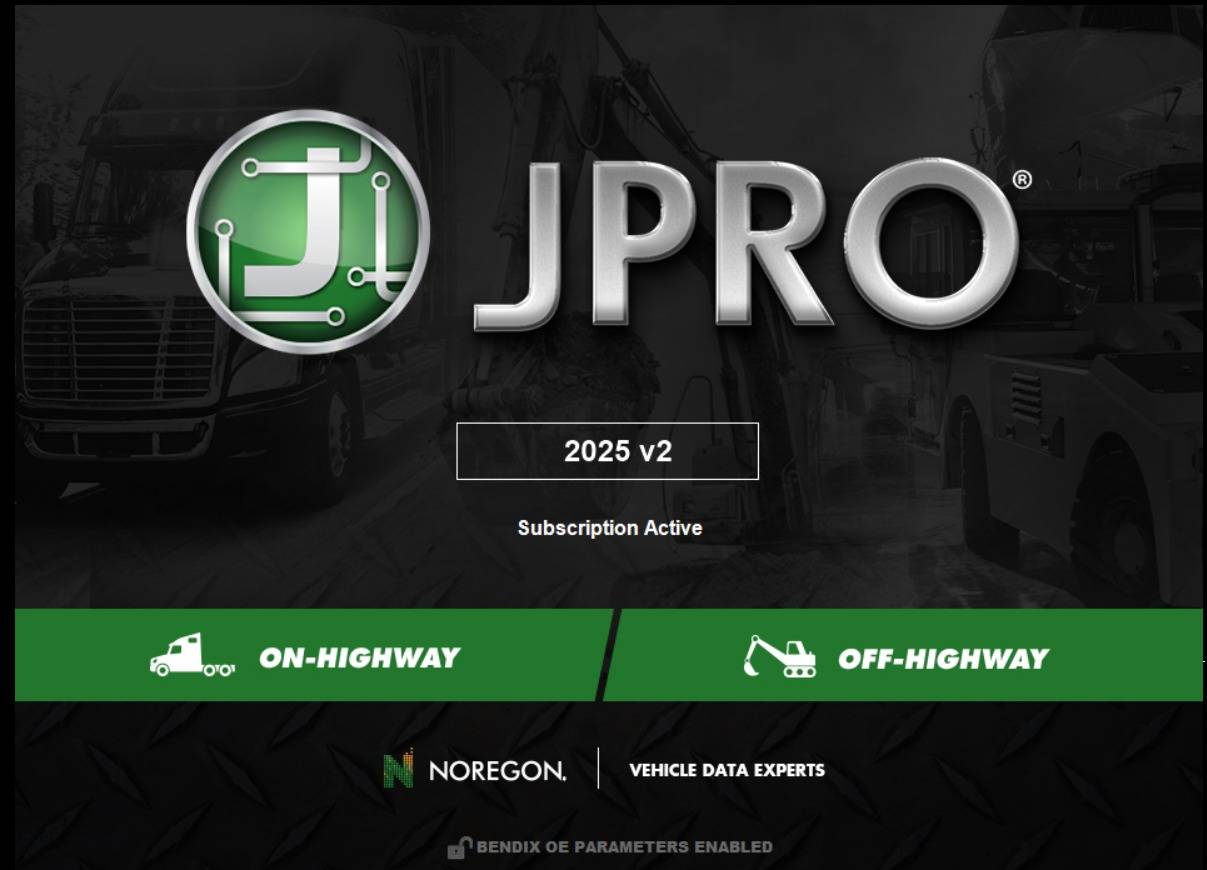
JPRO 2025 V2 Diagnostic Software: Optimize Your Fleet’s Performance Today!
JPRO 2025 V2 Diagnostic Software provides essential diagnostic solutions for heavy machinery and trucks. It streamlines the process of identifying and resolving vehicle issues, enhancing overall performance. With its user-friendly interface and comprehensive features, this software supports various vehicle brands. JPRO 2025 V2 is designed for both fleet operators and service centers, making it a valuable tool in the automotive maintenance industry.
Understanding JPRO 2025 V2 Diagnostic Software
This powerful diagnostic tool addresses the essential needs of technicians working with heavy machinery and trucks. It streamlines various processes, enhancing operational efficiency.
Key Features of JPRO 2025 V2
Multi-Brand Diagnostics: Compatible with numerous manufacturers, allowing seamless operation across various vehicle models.
Real-Time Data Access: Provides immediate insights into vehicle performance, assisting in proactive maintenance.
Controller Reprogramming: Enables technicians to adjust controller settings to optimize vehicle efficiency and performance.
User-Friendly Interface: Designed for easy navigation, minimizing the learning curve for new users.
Comprehensive Reporting: Generates detailed reports that aid in maintenance planning and regulatory compliance.
Benefits for Heavy Machinery and Trucks
The application of this software extends beyond simple diagnostics. The advantages include:
Increased efficiency in diagnosing mechanical issues.
Reduction of downtime through quick troubleshooting.
Enhanced fleet management capabilities, crucial for large operations.
Support for maintenance centers by streamlining processes and improving service delivery.
Compatibility and System Requirements
Ensuring compatibility is crucial for optimal performance of diagnostic software. The following sections outline the specific operating systems and hardware requirements necessary for seamless operation of the software.
Compatible Operating Systems
Windows 11 and 10
The software is fully compatible with Windows 11 and Windows 10, both 64-bit versions. These modern operating systems provide the required environment for the software to function efficiently, offering enhanced security and performance features.
Windows 7
Windows 7 remains a supported operating system for this diagnostic software, available in both 64-bit and 32-bit versions. Users should ensure their system is up to date with the latest updates to maintain compatibility and security.
Required Hardware Specifications
To run the diagnostic software effectively, certain hardware specifications are recommended. These requirements ensure that the software operates without any delays or hindrances, especially during intensive diagnostic tasks.
Minimum 4 GB RAM for standard operation.
At least 2 GHz Dual-Core processor or higher.
500 MB of available disk space for installation.
USB ports for connecting diagnostic interfaces.
Meeting these specifications allows users to maximize the software’s capabilities, ensuring smooth diagnostics for heavy machinery and trucks.
Interface and Connectivity Options
Effective communication between diagnostic tools and vehicles is critical for accurate diagnosis. JPRO 2025 V2 offers various interfaces to ensure seamless connectivity with different machinery and trucks.
Supported Interfaces
Dearborn Adapter 5
This adapter is widely used for reliable connections between the diagnostic software and numerous vehicle models. It facilitates quick data transfer and supports multiple protocols, making it an essential tool for diagnostics in the field.
Nexiq USB Link Series
The Nexiq USB Link series is a versatile range of diagnostic interfaces that ensures compatibility with several heavy-duty trucks and machinery brands. These interfaces provide enhanced communication capabilities, allowing technicians to perform advanced diagnostics efficiently.
Noregon DLA 2.0
Known for its robust performance, the Noregon DLA 2.0 offers a stable connection with a quick setup process. It is particularly effective for commercial trucks, facilitating easy access to vehicle data.
Vehicle Communication Compatibility
Compatibility with a wide range of vehicles enhances the utility of the JPRO 2025 V2 software. This flexibility is crucial for maximizing diagnostic accuracy across different brands and models.
Trucks and Heavy Machinery Brands
Freightliner
Kenworth
Volvo
Caterpillar
Diagnostic Tools and Cables
To achieve optimal performance, various cables and tools are employed along with the JPRO software. These accessories ensure comprehensive communication with vehicles, enhancing the diagnostic process.
Advanced Diagnostic Capabilities
This section highlights the key advanced diagnostic features that enhance vehicle performance and maintenance efficiency.
Real-Time Data Access
The capability to access real-time data is essential for diagnosing issues promptly. By monitoring vehicle performance, technicians can gather crucial insights regarding:
Engine temperature
Fuel efficiency
Diagnostic trouble codes (DTCs)
This immediate feedback allows for quicker decision-making and enhances overall service quality.
Fault Diagnosis and Reprogramming
Accurate fault diagnosis is critical for effective repairs. The software enables technicians to quickly identify issues within the vehicle’s systems. Additionally, it supports reprogramming control modules, which is vital for:
Optimizing performance settings
Updating software to fix bugs
Adjusting configurations for specific requirements
This dual functionality streamlines the repair process, ensuring vehicles operate at their best.
Fleet Management and Reporting
The advanced reporting tools included in the software facilitate efficient fleet management. Key aspects include:
Tracking vehicle performance over time
Scheduling preventive maintenance
Generating compliance reports for regulatory standards
Such features not only contribute to maintaining vehicle optimality but also help in making informed management decisions.
Installation Process
The installation process for JPRO 2025 V2 Diagnostic Software is designed to be straightforward and efficient, allowing users to set up the software with minimal hassle. Below are the steps to successfully install the software using TeamViewer.
Step-by-Step Installation via TeamViewer
To install JPRO 2025 V2 via TeamViewer, follow these key steps:
Download the TeamViewer application on the computer that will host the installation.
Ensure a stable internet connection during the installation process.
Acquire the necessary JPRO 2025 V2 software files from the designated provider.
Open TeamViewer and provide the ID and password to the technician assisting with the installation.
The technician will remotely access the computer to install the software.
Once the installation is complete, verify the functioning of the software by running a test diagnosis.
Common Installation Issues and Solutions
Users may encounter various challenges during installation. Here are some common issues and their solutions:
Issue: Incompatibility with the operating system.
Solution: Check the system requirements and ensure that the operating system is supported.
Issue: TeamViewer connectivity problems.
Solution: Confirm that the internet connection is stable and not blocked by firewalls.
Issue: Installation fails to complete.
Solution: Restart the installation process and ensure that all antivirus software is temporarily disabled during installation.
Applications and Industry Use Cases
This section explores the various applications of JPRO 2025 V2 in real-world settings, highlighting its significance across different sectors.
Fleet Operators and Commercial Trucks
Operating a fleet of commercial trucks comes with numerous challenges, particularly in maintenance and diagnostics. This software enables fleet operators to:
Streamline diagnostic processes, reducing downtime
Monitor vehicle health in real-time, identifying issues before they escalate
Optimize fuel efficiency by adjusting parameters through reprogramming
Manage multiple vehicles efficiently, ensuring regulatory compliance
By utilizing JPRO 2025 V2, operators can enhance productivity and maintain their fleets in peak condition, ultimately supporting their bottom line.
Service Centers and Maintenance
For service centers, having a reliable diagnostic tool is crucial for handling a variety of vehicles. This software aids in:
Providing accurate diagnostic capabilities across multiple brands
Facilitating quick repairs, thereby increasing customer satisfaction
Generating detailed reports that assist in preventive maintenance strategies
Enabling technicians to upskill through access to training resources
Service centers equipped with JPRO 2025 V2 can deliver timely, effective repairs, leading to improved service quality and a stronger reputation in the marketplace.
Support Resources and User Training
Access to a variety of support resources and user training materials enhances the experience of utilizing the software effectively.
Access to Training Videos and Guides
A comprehensive library of training videos and guides is available for users. These resources cover a wide range of topics, enabling users to familiarize themselves with the software’s features and functionalities. The training materials are designed to cater to different learning preferences and skill levels.
Step-by-step video tutorials for installation and usage
Guides outlining key diagnostic procedures
Tips for optimizing software performance
Customer Support and Troubleshooting
Dedicated customer support is provided to assist users in resolving any technical issues they may encounter. The support team is well-equipped to handle inquiries related to the software’s applications and functionalities. Quick resolutions ensure minimal disruption to workflow.
technical assistance
Resources for common troubleshooting issues
Community forums for user interaction and advice
Comparing JPRO 2025 V2 to Competitors
In a competitive landscape of diagnostic software, understanding the standout features and advantages of JPRO 2025 V2 is essential for users seeking efficiency and reliability.
Unique Selling Points
Several factors set JPRO 2025 V2 apart from its competition. The software offers:
Multibrand Compatibility: Unlike many alternatives, JPRO supports a diverse range of vehicle brands, allowing seamless diagnostics across multiple fleets.
User-Friendly Interface: Its intuitive design simplifies the diagnostic process, making it accessible for both seasoned technicians and newcomers.
Advanced Reprogramming Features: JPRO provides robust capabilities for reprogramming vehicle controllers, enhancing performance optimization.
Strengths Over Competitor Diagnostic Software
When comparing JPRO 2025 V2 with other diagnostic tools, its strengths become clear:
Comprehensive Data Access: It grants real-time access to crucial vehicle data, aiding in quicker diagnostics and effective troubleshooting.
Enhanced Fleet Management: Built-in management tools facilitate oversight of multiple vehicles, improving operational efficiencies.
Superior Support Resources: Users benefit from extensive training materials and customer support, ensuring they can maximize the software’s potential.
Frequently Asked Questions
This section addresses common inquiries regarding the software and provides tips for optimal usage.
Common User Queries
Users often have several questions about the functionality and usage of the software. Some frequently asked questions include:
What vehicles are compatible with JPRO 2025 V2?
How do I troubleshoot common issues during installation?
Is technical support available if I encounter problems?
Can the software be used for both light and heavy machinery?
Each of these inquiries reflects common issues that users experience and highlights the importance of understanding the software’s capabilities and limitations.
Tips for Optimal Usage
To maximize the effectiveness of the software, consider the following tips:
Always ensure that the system meets the specified hardware requirements before installation.
Regularly update the software to access the latest features and improvements.
Familiarize yourself with available training resources to improve diagnostic skills.
Utilize real-time data access for proactive vehicle management and maintenance.
Implementing these practices can enhance the user experience and lead to better diagnostic outcomes.



![MAN MANTIS v666 EPC [09.2021] Spare Parts Catalog](https://www.ecuforcetruck.com/wp-content/uploads/2022/01/MANTIS-V666-300x300.png)